



Senior citizen online registration: A step-by-step guide

CEBU CITY, Philippines — The National Commission of Senior Citizens (NCSC) has introduced an online registration system allowing Filipino seniors to register digitally and be included in the Commission’s nationwide database.
The initiative is part of the NCSC’s effort to create a centralized record of all senior citizens in the country, ensuring that programs, services, and benefits reach their intended recipients.
The NCSC assures registrants that all data collected through the SCDF will be used only for official purposes in line with its mandate to protect and promote the welfare of senior citizens.
What is the SCDF?
The Senior Citizen Data Form (SCDF) is the official online registration form of the NCSC that gathers essential information about senior citizens, including their personal details, health condition, education, skills, and household profile.
The data collected through the SCDF will help the Commission design and deliver programs, benefits, and services that address the real needs of the elderly population.
Seniors are encouraged to accomplish the form themselves, but they may be assisted by a family member or a trusted person if needed.
Purpose of the registration of senior citizens
Registering through the SCDF ensures that each senior citizen is included in the NCSC’s official database.
READ: Seniors reaching milestone ages urged to register for cash gift
This information will serve as the basis for future programs, benefits, and milestone-cash gifts granted to qualified elderly individuals.
It also enables the Commission to identify the specific needs of seniors in terms of health, livelihood, and social support.
Senior citizen registration: How to register online
1. Open Google Chrome and go to the NCSC website.
Type “ncsc.gov.ph” in the address bar and press Enter to access the NCSC homepage.

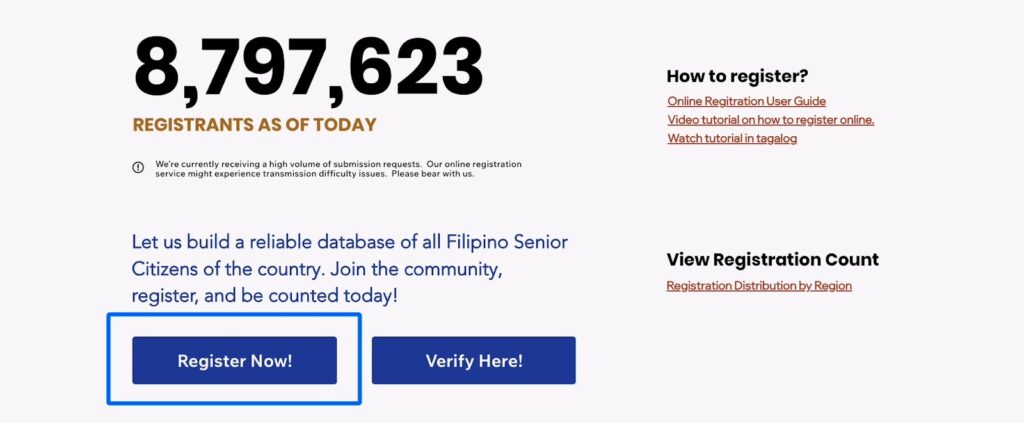
2. Click “Register Now.”
On the homepage, the “Register Now” button is displayed along the total number of daily registrants.
3. Read and agree to the instructions.
After going through the instructions, tick the certification box to confirm acceptance, then click “Proceed.”
You can also click on the “Read more” button to check out the privacy policy concerning the same.

4. Complete the Online Senior Citizen Data Form (SCDF).
Carefully read the on-screen instructions. All required fields marked with an asterisk (*) must be filled out.
If a required item does not apply, type “None.” Optional fields may be left blank.

5. Enter your identifying information.
Provide your name, birthdate, address, and contact information accurately. False or incomplete entries may cause the registration to fail.
6. Fill in optional sections.
These may include family composition, dependents, education, economic profile, and health information. Completing them helps NCSC understand each registrant’s background and needs.
7. Attach documents if available.
Upload your Office for the Senior Citizens’ Affairs (OSCA) ID, a recent photo, or other IDs.

8. Create your Personal Key Number (PKN).
Choose a four-digit number that you can easily remember. This number will be used later to access or verify your record.

9. Certify your submission.
Tick the certification boxes to affirm the correctness of your information. If someone assisted you, indicate their name and contact number.

10. Proceed to submit.
Click “Proceed to Submit.”
The system will validate the form and notify you if there are missing required fields. Return to the form and complete them as needed.
11. Review the Data Confirmation page.
Once validation is successful, a confirmation page will appear. Review all entries carefully. You may click “Edit” to make corrections.
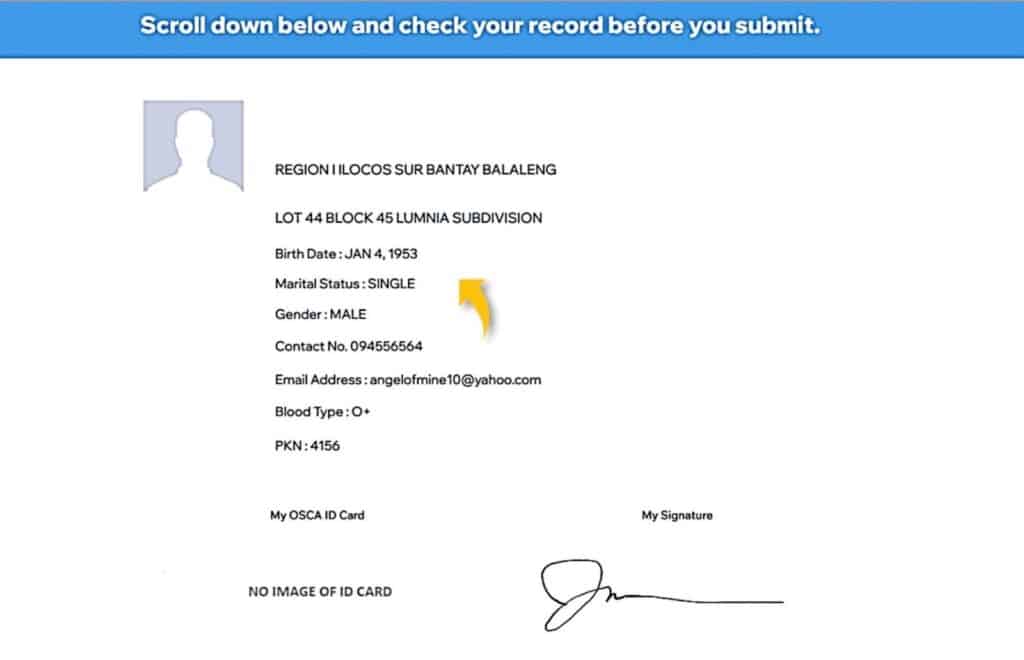
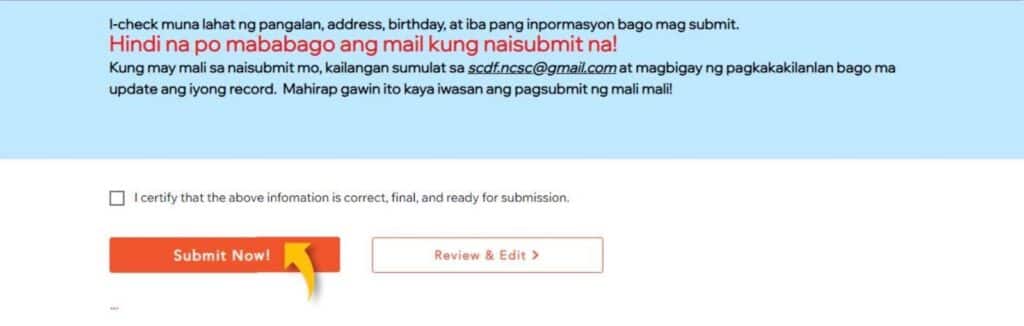
12. Finalize your submission.
Click “Submit” to send your data to the NCSC database.
If the submission fails due to a weak connection, click “Submit” again until successful. You will receive a Registration Reference Number (RRN) as proof of registration.
13. Verify your registration.
For successful applicants, verification can be done anytime using your RRN and PKN, or by entering your full name and date of birth.

Registration encouraged
The online registration is part of the NCSC’s effort to improve data management and streamline public service for the elderly.
Through the SCDF, the agency aims to ensure that every senior citizen’s record is properly documented, allowing for more accurate planning and delivery of assistance.
The NCSC encouraged all senior citizens in the country to register online as part of its continuing effort to strengthen government support for the elderly sector.
Disclaimer: The comments uploaded on this site do not necessarily represent or reflect the views of management and owner of Cebudailynews. We reserve the right to exclude comments that we deem to be inconsistent with our editorial standards.
